 특정 시간에 원하는 작업을 자동으로 수행시키는 Cron(Crontab) 사용법을 작성한다.
[01] Cron이란?
Linux의 시간 기반 Job 스케줄러. 특정 시간, 날짜, 간격에 주기적으로 작업을 수행하여야 할 때 활용한다. crontab 으로 설정 및 실행한다.
[02] 설치
1
2
|
sudo apt-get install update
sudo apt-get install cron
|
[03] 명령어
1
2
3
4
5
6
7
8
9
10
11
12
13
14
15
16
17
18
19
20
21
22
23
24
25
26
27
28
29
30
31
32
33
34
35
36
37
38
39
40
41
42
|
# 현재 사용자의 설정 확인
crontab -l
# 현재 사용자의 설정 편집
crontab -e
# 현재 사용자의 설정 삭제
crontab -r
# ex)
root@emaster:~# crontab -l
no crontab for root
root@master:~# crontab -e
no crontab for root - using an empty one
crontab: installing new crontab
root@master:~# crontab -l
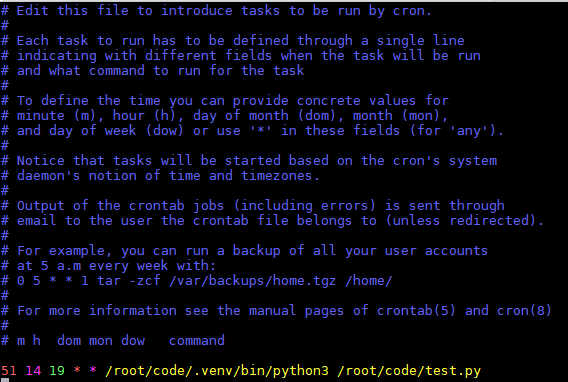
# Edit this file to introduce tasks to be run by cron.
#
# Each task to run has to be defined through a single line
# indicating with different fields when the task will be run
# and what command to run for the task
#
# To define the time you can provide concrete values for
# minute (m), hour (h), day of month (dom), month (mon),
# and day of week (dow) or use '*' in these fields (for 'any').
#
# Notice that tasks will be started based on the cron's system
# daemon's notion of time and timezones.
#
# Output of the crontab jobs (including errors) is sent through
# email to the user the crontab file belongs to (unless redirected).
#
# For example, you can run a backup of all your user accounts
# at 5 a.m every week with:
# 0 5 * * 1 tar -zcf /var/backups/home.tgz /home/
#
# For more information see the manual pages of crontab(5) and cron(8)
#
# m h dom mon dow command
51 14 19 * * /root/code/.venv/bin/python3 /root/code/test.py
|
[04] 설정 방법(규칙)
1
2
|
* * * * * 수행명령
분 시 일 월 요일
|
- 분(0-59), 시(0-23), 일(1-31), 월(1-12), 요일(0-6: 0 일요일, 6 토요일)
1
2
3
4
|
# 매월 19일, 14시 51분에
# /root/code/.venv/bin/python3 파이썬 가상환경에서
# /root/code/test.py 프로그램을 실행
51 14 19 * * /root/code/.venv/bin/python3 /root/code/test.py
|
 참조: 설정시간확인 (crontab.guru)
[05] 동작 확인
1
2
3
4
5
6
7
8
|
# 상태 확인
service cron status
# 시작
service cron start
# 중단
service cron stop
|
[06] 기타: Python 가상환경에서 실행
Python 코드를 가상환경에서 실행하도록 할 때, 동작하려는 파이썬 코드 상단에 shell script 명령을 포함시켜준다.
1
2
|
#! /root/code/.venv/bin/python3 /root/code/test.py
print("Hello")
|
